How Does Auto Steer on a Tractor Work Step-by-Step
Auto steer on your tractor works by using GPS signals to pinpoint your exact location and guide you along precise paths. Sensors like wheel speed, steering angle, and gyroscopes feed data to onboard controls, which automatically adjust steering via actuators. You’ll input tractor dimensions and calibrate the system to match field conditions. This reduces fatigue and overlap, boosting efficiency. If you want to understand troubleshooting steps, integration, and future improvements, keep exploring how it all comes together.
Key Takeaways
- GPS receiver captures satellite signals and calculates the tractor’s precise position using trilateration and correction methods like RTK or SBAS.
- Onboard sensors track wheel speed, steering angle, orientation, and terrain to provide real-time data for accurate steering control.
- The control unit processes GPS and sensor data, compares current position with the planned path, and calculates steering adjustments.
- Actuators receive commands from the control unit to automatically adjust the tractor’s steering, maintaining straight lines and proper spacing.
- Operators calibrate the system by inputting tractor dimensions, setting guidance lines, performing calibration drives, and verifying system responses before fieldwork.
What Is Auto Steer Technology on a Tractor
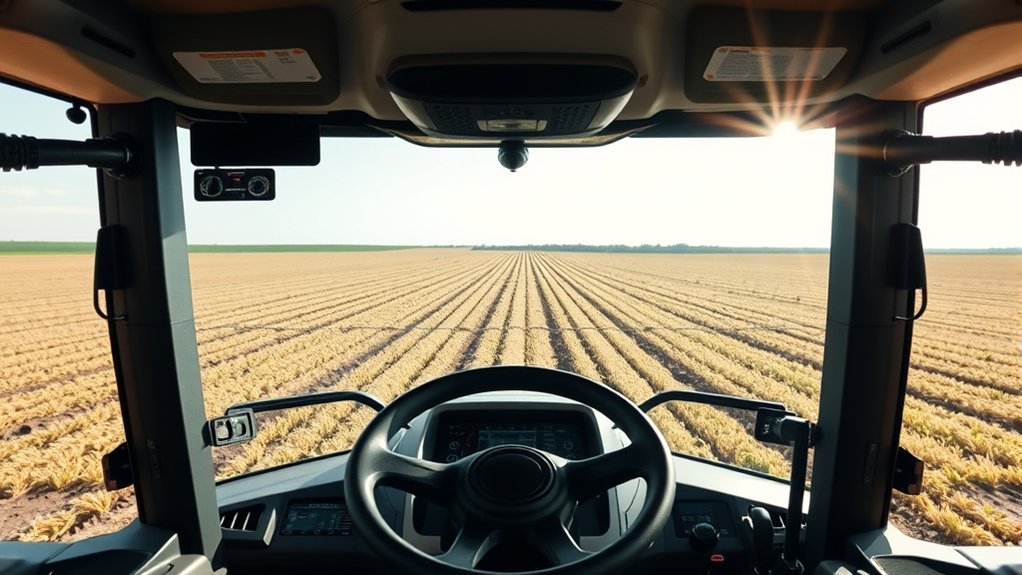
Although manually steering a tractor has been the norm for decades, auto steer technology now lets you focus more on other tasks by handling the steering automatically.
Auto steer systems use sensors and onboard computers to control your tractor’s steering, keeping it on a precise path without constant input from you. This technology reduces fatigue and increases efficiency by maintaining straight lines and consistent spacing in your fields.
When you engage auto steer, the system takes over the wheel, making small, continuous adjustments to keep the tractor on course. You still oversee operations, but you’re free to monitor equipment or manage other activities.
Auto steer simplifies your work, improving accuracy while letting you concentrate on bigger-picture tasks.
How GPS Guides Auto Steer Systems
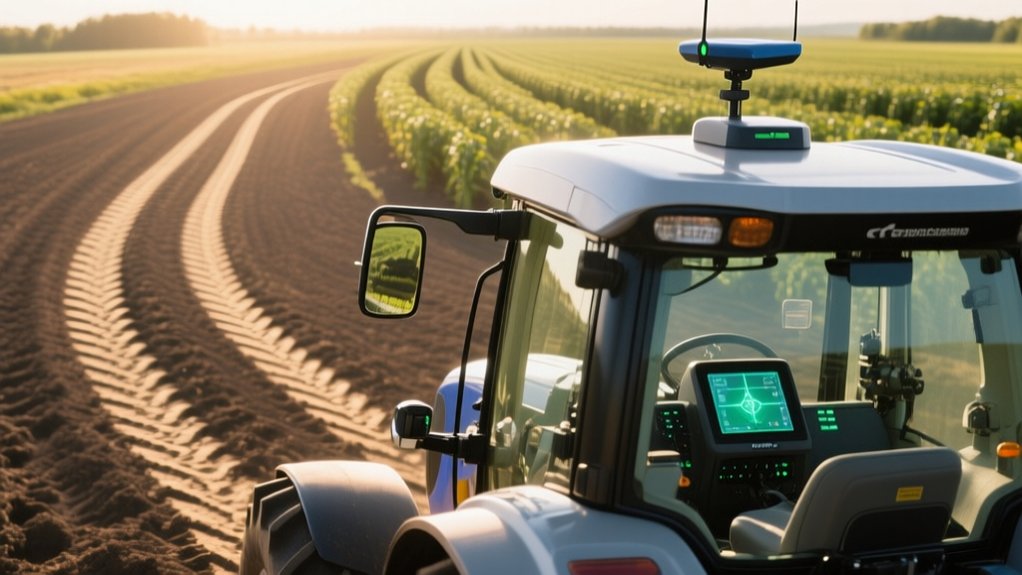
When you activate auto steer on your tractor, GPS technology plays an essential role in guiding the system along your desired path. The GPS receiver on your tractor constantly picks up satellite signals to determine your exact position in the field.
This precise location data allows the auto steer system to map out your route with incredible accuracy. As you drive, the system compares your current position with the planned line and sends commands to adjust your steering if you drift off course.
This continuous feedback loop keeps your tractor aligned perfectly, minimizing overlap and gaps. Thanks to GPS guidance, you can focus on other tasks while your tractor maintains a straight, efficient path across your fields.
Sensors Used in Auto Steer Systems
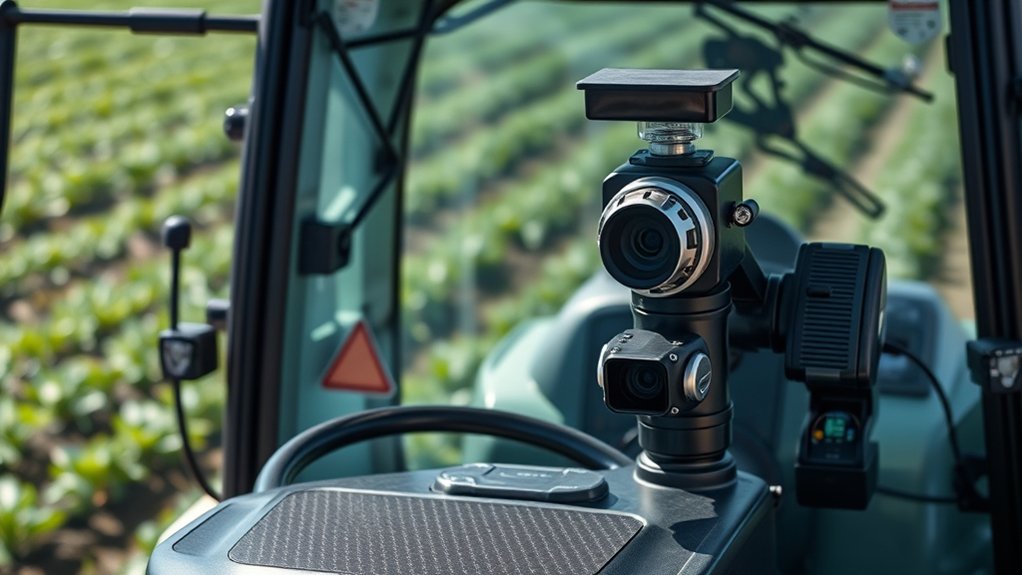
GPS provides the foundation for precise auto steering, but the system also relies on various sensors to keep your tractor on track. Wheel speed sensors monitor how fast your tractor moves, helping the system adjust steering for consistent control.
Steering angle sensors track the position of your steering wheel, ensuring smooth and accurate turns. Gyroscopes and accelerometers detect the tractor’s orientation and movement, allowing the system to respond to slopes or uneven terrain.
Additionally, some systems use obstacle sensors to prevent collisions. These sensors work together to feed real-time data to the auto steer system, letting it make quick, precise adjustments.
How Auto Steer Processes GPS Signals
When you use auto steer, the system first receives GPS signals to pinpoint your tractor’s location.
Then, it runs these signals through data interpretation algorithms to make sense of your position.
Finally, position correction methods guarantee your tractor stays on the exact path you want.
GPS Signal Reception
How does your tractor know exactly where it’s in a vast field? It all starts with GPS signal reception. Your tractor’s GPS receiver captures signals from multiple satellites orbiting Earth. Each satellite continuously broadcasts time-stamped location data.
Your receiver picks up these signals simultaneously, measuring how long each took to arrive. Using this timing, it calculates the distance to each satellite.
By combining distances from at least four satellites, your tractor determines its precise position through trilateration. This process happens instantly and repeatedly, updating your tractor’s location multiple times per second.
The stronger and clearer the satellite signals, the more accurate your tractor’s positioning will be. That’s why GPS antenna placement and minimizing obstructions are vital for reliable auto steer performance.
Data Interpretation Algorithms
Although receiving satellite signals provides your tractor with raw location data, it’s the data interpretation algorithms that transform these signals into actionable steering commands. These algorithms analyze the GPS data, filtering out noise and errors to accurately determine your tractor’s exact position in real time.
They compare your current location with the pre-programmed path or field boundaries, calculating the necessary steering adjustments. By continuously processing this information, the system predicts the tractor’s trajectory and sends precise control signals to the steering mechanism.
This guarantees your tractor follows the intended route smoothly, even at varying speeds or on uneven terrain. Without these algorithms, the raw GPS data would be too imprecise and inconsistent to guide your tractor effectively.
Position Correction Methods
Because raw GPS signals can be affected by various factors like atmospheric interference and satellite positioning errors, your tractor’s auto steer system relies on position correction methods to guarantee accuracy. These methods improve the GPS data by comparing it with fixed reference points.
One common technique is Real-Time Kinematic (RTK) correction, which uses a base station nearby to send error data to your tractor, refining its position within centimeters.
Another method, Satellite-Based Augmentation Systems (SBAS), uses geostationary satellites to broadcast correction signals over wide areas. Your system processes these corrections in real time, ensuring the tractor stays on precise paths.
Without these corrections, your auto steer could drift, reducing efficiency and causing overlaps or gaps in your work.
How Auto Steer Controls the Steering Mechanism
Now that you understand how GPS signals are processed, let’s look at how the auto steer system controls the tractor’s steering mechanism.
You’ll see how key components work together to adjust direction based on processed signals.
This guarantees precise and reliable steering without manual input.
Steering Control Components
When you engage the auto steer system, several key components work together to control the tractor’s steering mechanism accurately. The primary part you’ll interact with is the electric or hydraulic steering actuator, which physically moves the steering linkage based on commands.
A control unit processes data and sends precise signals to the actuator, ensuring the wheels turn exactly as needed. You’ll also find position sensors attached to the steering column or wheels; they constantly monitor the tractor’s current direction and relay this information back to the control unit.
Additionally, a feedback mechanism helps the system adjust steering angles smoothly. Together, these components allow the tractor to steer precisely without manual input, maintaining straight lines or curves as programmed, so you can focus more on other tasks.
Signal Processing Mechanism
How does the auto steer system translate your desired path into precise steering movements? It starts by receiving GPS data and your input path, then the onboard computer processes this information in real-time.
The processor compares the tractor’s current position with the target line, calculating any deviation. It converts these calculations into electrical signals sent to the steering actuator.
The actuator responds by adjusting the steering angle to correct the tractor’s course. This closed-loop system continuously monitors feedback from sensors to fine-tune steering, ensuring accuracy.
You’ll notice smoother, more consistent turns because the signal processing mechanism constantly aligns steering commands with your intended path, reducing human error and improving efficiency during fieldwork.
How to Set Up Auto Steer
Before you start using auto steer on your tractor, you’ll need to calibrate the system carefully to guarantee accuracy in the field. Begin by mounting the GPS receiver securely and ensuring it has a clear view of the sky.
Power up the auto steer controller and connect it to your tractor’s steering system. Next, input your tractor’s dimensions and wheelbase into the system for precise guidance.
Perform a calibration drive in an open area, allowing the system to learn your tractor’s steering response.
Set your desired guidance lines, choosing between straight or curved paths depending on your field layout.
Finally, verify all connections, and make sure the system responds correctly when you engage auto steer.
Once set up, you’re ready to improve efficiency and reduce operator fatigue.
Maintaining Auto Steer Accuracy in the Field
To keep your auto steer accurate, you’ll need to regularly calibrate the system before heading out.
Be aware that environmental factors like uneven terrain and signal interference can impact performance.
Let’s explore how these elements affect accuracy and what you can do to manage them.
Calibration Techniques
Since even minor misalignments can affect your tractor’s path, regularly calibrating your auto steer system is essential for maintaining accuracy in the field. Calibration guarantees that your tractor follows the intended guidance lines precisely, reducing overlap and missed spots.
To keep your system spot-on, focus on these key techniques:
- Steering Angle Calibration: Align the steering sensor with your tractor’s actual wheel position to ensure accurate turn responses.
- GPS Receiver Calibration: Confirm your GPS unit is functioning correctly and update firmware to maintain signal precision.
- Implement Offset Calibration: Adjust for any lateral offsets between your tractor’s centerline and the implement to prevent drift.
Environmental Impact Factors
Although your auto steer system relies heavily on careful calibration, environmental factors can still impact its accuracy out in the field. Uneven terrain, dense tree lines, and weather conditions like heavy rain or fog can interfere with GPS signals, causing your tractor to veer off course.
Soil type and moisture levels affect traction, influencing steering control as well. To maintain precision, you need to monitor signal strength and adjust your route to avoid signal-blocking obstacles.
Keep your GNSS receiver clean and properly mounted to reduce errors caused by vibrations or debris. By understanding how these factors affect your system, you can take proactive steps to minimize their impact and guarantee your auto steer performs reliably, saving time and improving field efficiency.
How Auto Steer Cuts Overlap and Saves Fuel
When you use auto steer on a tractor, you eliminate the guesswork that often leads to overlapping rows. This precision guarantees each pass is perfectly aligned, reducing wasted fuel and input costs.
By cutting overlap, you save money and minimize environmental impact through efficient resource use.
Here’s how auto steer helps you save fuel and cut overlap:
- Maintains consistent straight lines, avoiding unnecessary rework
- Uses GPS to guide you precisely between rows
- Automatically adjusts steering to compensate for field irregularities
These features mean you won’t waste fuel driving over the same area twice, and you reduce soil compaction by limiting unnecessary passes.
Ultimately, auto steer makes your operation more efficient and eco-friendly without extra effort on your part.
Adjusting Auto Steer for Field Conditions
Auto steer helps you save fuel and reduce overlap, but to get the best results, you need to modify it for your specific field conditions. Start by calibrating the system based on soil type, slope, and crop height.
Uneven terrain requires more sensitive steering adjustments to maintain accuracy. You’ll want to set the guidance line spacing according to your implement width to avoid gaps or excessive overlap.
Weather conditions like wet or dry soil affect traction, so tweaking the steering response ensures smoother turns and less soil compaction. Don’t forget to update your GPS signal settings if tree cover or hills interfere.
Regularly fine-tuning these parameters before each field run maximizes efficiency and crop health. Adjusting your auto steer system thoughtfully helps you work smarter, not harder.
Troubleshooting Common Auto Steer Issues
If your tractor’s steering doesn’t follow the guidance line accurately, you’ll want to check a few key factors before heading into the field. First, make certain the GPS signal is strong and stable—weak signals can cause erratic steering.
Ensure your tractor’s GPS signal is strong and stable to maintain accurate steering on the guidance line.
Next, verify that the auto steer system’s calibration matches your tractor’s specifications. Incorrect calibration leads to misalignment with the intended path.
Also, inspect the wiring and connectors for damage or loose connections, as electrical issues can disrupt communication between components.
To troubleshoot:
- Confirm GPS signal strength and satellite lock
- Recalibrate the auto steer system if needed
- Check all wiring and connectors for wear or disconnection
Integrating Auto Steer With Other Tractor Tech
After ensuring your auto steer system functions properly, you can enhance its capabilities by integrating it with other tractor technologies.
Linking auto steer with GPS guidance allows for precise field mapping, reducing overlap and saving fuel.
Pairing it with yield monitoring systems helps you collect real-time data on crop performance while maintaining consistent steering.
You can also connect auto steer to variable rate technology (VRT), enabling automatic adjustments of seed or fertilizer application based on field conditions.
Additionally, integrating with telematics lets you monitor tractor performance remotely, improving efficiency and maintenance scheduling.
Safety Features Built Into Auto Steer Systems
Because safety is essential when operating heavy machinery, modern auto steer systems come equipped with built-in features designed to protect both you and your equipment. These safety measures guarantee the system operates reliably and prevents accidents.
Safety is paramount, so modern auto steer systems include features that ensure reliable operation and accident prevention.
You’ll find features like:
- Automatic disengagement: The system turns off if you take control or if it detects unusual conditions, preventing unintended steering.
- Obstacle detection: Sensors alert you to objects or terrain changes, giving you time to react.
- Fail-safe controls: Redundant systems keep steering functional even if part of the auto steer fails.
These elements give you peace of mind, letting you focus on your work without worrying about safety risks tied to automated steering.
The Future of Auto Steer Technology on Tractors
As technology advances, you’ll see auto steer systems becoming smarter and more intuitive, transforming how you operate tractors. Future innovations will focus on increased precision, real-time data integration, and seamless connectivity with other farm equipment. You’ll benefit from AI-powered decision-making that adjusts to changing field conditions on the fly. Enhanced sensors and improved GPS accuracy will minimize overlaps and gaps, saving you time and resources.
Here’s a quick look at what to expect:
| Feature | Benefit |
|---|---|
| AI Integration | Adaptive steering adjustments |
| Real-Time Data Sharing | Synchronized fleet operations |
| Advanced Sensor Systems | Increased accuracy and safety |
These advancements mean you’ll spend less time steering and more time optimizing your farm’s productivity.
Frequently Asked Questions
Can Auto Steer Systems Be Retrofitted to Any Tractor Model?
Yes, you can retrofit auto steer systems to many tractor models, but compatibility varies. You’ll need to check your tractor’s steering type and electronics. Some systems require specific hardware, so research carefully before purchasing for a smooth upgrade.
What Is the Typical Cost Range for Installing Auto Steer Technology?
You’ll typically spend between $5,000 and $15,000 to install auto steer technology. Considering it can boost efficiency by up to 20%, many find the investment well worth the improved precision and reduced fatigue.
How Does Auto Steer Impact Overall Tractor Maintenance Schedules?
Auto steer can reduce your tractor’s wear by minimizing operator error, but you’ll still need regular checks on sensors, GPS systems, and wiring. It might shift maintenance focus without drastically changing your overall schedule.
Are There Specific Weather Conditions Where Auto Steer Is Less Effective?
Yes, auto steer struggles in heavy rain, fog, or snow since sensors can’t detect field markers well. You’ll notice reduced accuracy during these conditions, so it’s best to manually steer or wait for clearer weather to maintain precision.
What Training Is Recommended for Operators New to Auto Steer Systems?
You should start with hands-on training, learning the system’s controls and troubleshooting. Many manufacturers offer courses or tutorials, so don’t skip those. Practice in open fields to build confidence before working complex terrain or crops.
Conclusion
Auto steer technology transforms how you work your fields, making precision farming easier and more efficient. Imagine a farmer who saves hours each day using auto steer, reducing overlap and fuel costs while improving crop yields. By understanding how GPS, sensors, and steering controls work together, you can troubleshoot issues and integrate this tech seamlessly. Embrace auto steer to boost your productivity and step confidently into the future of farming.